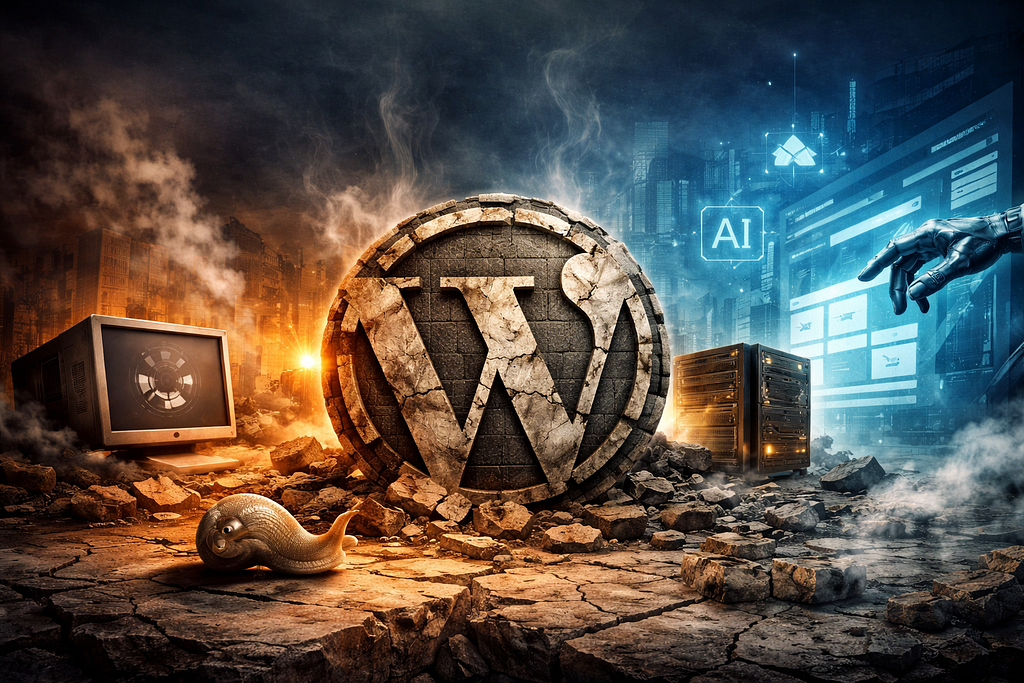
A fresh WordPress install with a commercial theme and a handful of essential plugins already ships more PHP, more database queries, and more JavaScript than most sites actually need. And that’s before you’ve added a contact form, a cookie banner, and an SEO plugin.
WordPress has a weight problem. And it’s been there for years. The difference now is that the alternatives have gotten dramatically better — and dramatically easier.
The Performance Problem
Fewer than half of WordPress sites pass Google’s Core Web Vitals on mobile devices.
Let that sink in. The platform that powers more than 40% of the web can’t, in most deployments, meet Google’s baseline performance standard for mobile users. The typical solution — caching plugins, image optimization plugins, lightweight themes — requires significant manual effort to address problems that WordPress creates by default.
This isn’t a solvable problem through plugins. It’s an architectural one. WordPress was designed in an era when “dynamic” meant “good” and “server-rendered” was the only option. In 2026, building a static brochure site on a database-backed, PHP-rendered platform is the equivalent of using a diesel generator to charge your phone.
The Plugin Trap
WordPress’s ecosystem of over 70,000 plugins is simultaneously its greatest strength and its defining vulnerability.
Up to 97% of WordPress security vulnerabilities originate from plugins. The average WordPress site runs 20–30 plugins. Each one adds code overhead, each one introduces potential vulnerabilities, each one requires updates, and each one can conflict with others in ways that are difficult to diagnose.
This creates a maintenance burden that never ends. Security patches, version conflicts, deprecated plugins, abandoned plugins that were popular enough to have security researchers actively looking for holes — this is the ongoing cost of running WordPress that the “easy to use” pitch never mentions.
If a platform requires 20 additional tools to function properly, it’s fair to ask whether it’s actually solving the original problem.
The Hosting Illusion
Budget hosting makes WordPress economical to start. But budget hosting means your site shares a server with hundreds of others, creating performance bottlenecks that no amount of caching can fully compensate for.
Managed WordPress hosting solves the performance problem but costs €20–50+ monthly — and still requires plugin maintenance and Core Web Vitals optimization as ongoing work.
The comparison worth making: static sites deployed to Netlify or Cloudflare Pages get global CDN coverage, edge caching, and HTTPS for free. No server management. No PHP. No database. No updates to apply. Just files served from 300+ edge locations.
The Governance Risk
The conflict between Matt Mullenweg and WP Engine in 2024–2025 exposed something that WordPress users had been choosing not to think about: a huge chunk of the web’s infrastructure depends on one person’s goodwill and one company’s business decisions.
Mullenweg’s ability to block WP Engine from accessing WordPress.org resources — including the plugin and theme repository — was a wake-up call. The community that had assumed WordPress was neutral infrastructure discovered it was controlled infrastructure. Many developers who watched that episode began exploring alternatives more seriously.
What Sites Actually Need
Here’s the uncomfortable truth that WordPress’s continued dominance obscures: most WordPress installations serve primarily static purposes.
Homepage. About page. Services page. Blog updated twice a month. Contact form.
This does not require a database. It does not require PHP rendering on every request. It does not require a content management system with user roles, revision history, and plugin architecture. It requires files. HTML, CSS, JavaScript, and a CDN to serve them.
For a long time, “you don’t need to know how to code” was WordPress’s core value proposition. That abstraction is being replaced by a better one: you don’t need to know how to use a CMS at all.
The AI Shift
Modern AI coding tools can generate complete, production-ready websites from conversational descriptions. Describe your business, your content, your aesthetic preferences — and receive a static site that outperforms any comparable WordPress installation on every metric that matters: load time, Core Web Vitals, security surface, maintenance overhead.
The sites you can now generate with AI tools are not prototypes. They’re deployment-ready, SEO-optimized, and faster than anything running on shared WordPress hosting.
The abstraction layer has moved up. WordPress abstracted the server. AI tools abstract the code. And what’s left on the other side is a site that’s faster, cheaper to host, and requires no ongoing maintenance to keep secure.
Where WordPress Still Makes Sense
WordPress isn’t dead. But it’s lost the general-purpose argument.
There are legitimate use cases where WordPress remains the right tool. Multi-author publishing platforms with complex editorial workflows. News sites that publish dozens of pieces daily. WooCommerce-based e-commerce with significant inventory complexity and custom purchasing flows.
In these contexts, the WordPress ecosystem — its editorial tools, its user roles, its plugin integrations — justifies the complexity. A newsroom with 50 writers genuinely needs the infrastructure.
But this is not what most WordPress sites are. Most WordPress sites are, as the author noted, “essentially static” in their content and usage patterns. They’re running a bulldozer to move a bag of sand.
The Honest Verdict
WordPress isn’t dead. It’s doing exactly what it was built to do, and doing it with an enormous installed base that creates real inertia.
But for the new project — the portfolio, the business site, the startup landing page, the personal blog — choosing WordPress in 2026 is choosing familiarity over fitness. It’s convention, not optimality.
The performance gap is real. The security overhead is real. The maintenance burden is real. And the alternatives — static site generators, AI-generated sites, headless architectures — have matured to the point where “just use WordPress” is no longer the safe default answer.
Sometimes the most disruptive thing a technology can do is refuse to admit it’s become the legacy option.